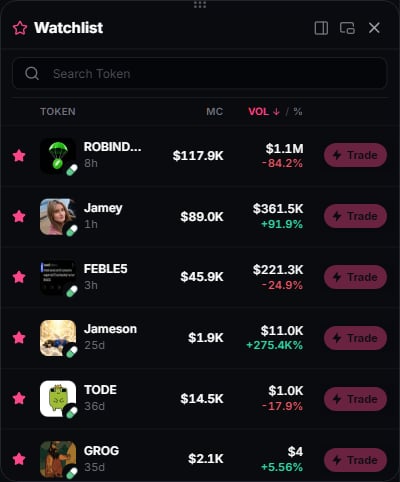
Tap the star on a supported token card or row to add it to one Watchlist across the terminal. Watching is free and does not require an account or Premium.
The Watchlist dock with token prices and external Trade shortcuts

Open and filter

Open Watchlist in the desktop footer to dock the list beside a market page. On mobile, use the header star. Its stars persist across reloads in the same browser. On desktop, the Following only toolbar star beside Display settings narrows supported feeds to watched tokens; it is outside the filter funnel and is hidden on mobile. Watchlist is disabled on the Premium, Account and Premium settings pages. Return to a market page such as Signals to open it.

Trade shortcuts

With active Premium and a platform chosen in Premium setup, a supported token’s Trade button opens that platform’s chart in a new tab. Amounts, wallet approvals and execution happen there. Watching a token does not authorize a trade.

Storage

The list is kept in your browser and has a best-effort server mirror tied to a browser session cookie. It is separate from account-owned Premium preferences and is not a public profile. Clearing browser data can reset it. Remove a token with the same star control. While the dock is open, a watched token with no available data is removed automatically after the inactivity grace period, normally six hours.