

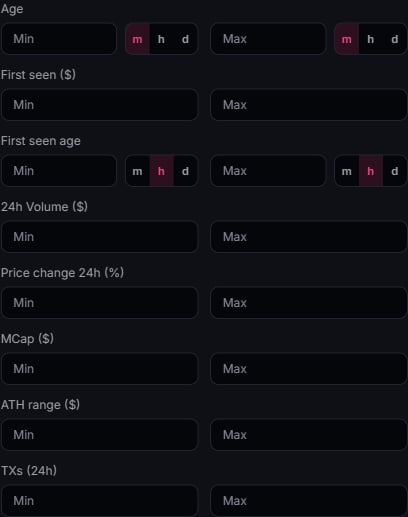
What you can filter
- Market cap. Min and max range.
- Volume & transactions. Minimum and maximum 24h values.
- Age & first seen. Token age, first-seen age and first-seen market cap.
- Market changes. 24h price change and ATH range.
- Token info. Dex Paid, Dev 0%, Safe, Holders Check and Top holders toggles.
- Holders, Net Buy ($) & Fees (SOL). Minimum and maximum ranges.
- Alpha only. Signal score, MCap % gain and Max return.
Search & following
- Search matches symbol, name, and address.
- On desktop, Following only is the toolbar star beside Display settings, outside the filter funnel. It narrows supported feeds to your watchlist. This toggle is hidden on mobile; use the header Watchlist star to open your list.