

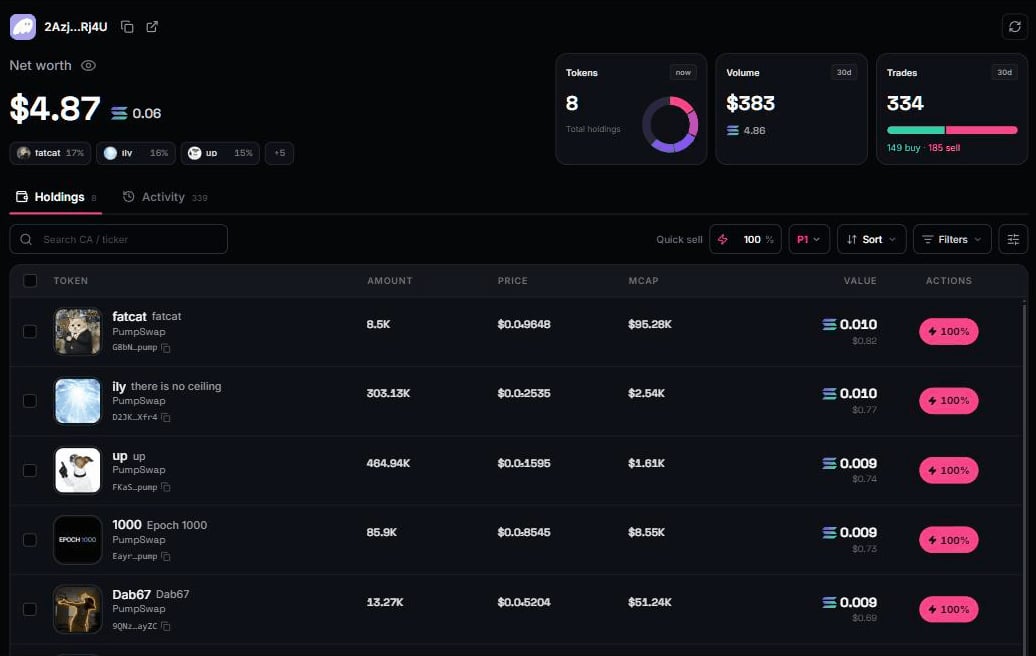
The full scan
This is a real wallet scan, not a trade log. Terminals that only show what you traded through them, or only what is liquid enough to price cheaply, are showing you a subset. primal. enumerates every token account in the wallet, prices each one against the live pools it actually trades in, and routes every sell to the best venue for that specific token. Dust included. Tokens you bought somewhere else included.- Net worth is the sum of your token bags plus your SOL balance. The number at the top is the whole account, not just the bags.
- Each row shows amount, live price and market cap, position value, and quick-sell controls (25/50/100% pills or an exact amount) using your active preset.
- The page loads progressively. SOL and cached values paint instantly, then live venue reads fill in. No blank screen while the chain is scanned.
Sell many at once
Every row carries a checkbox. Select any set of positions and the bar at the bottom quotes the combined SOL you receive; one tap converts the lot in a single flow.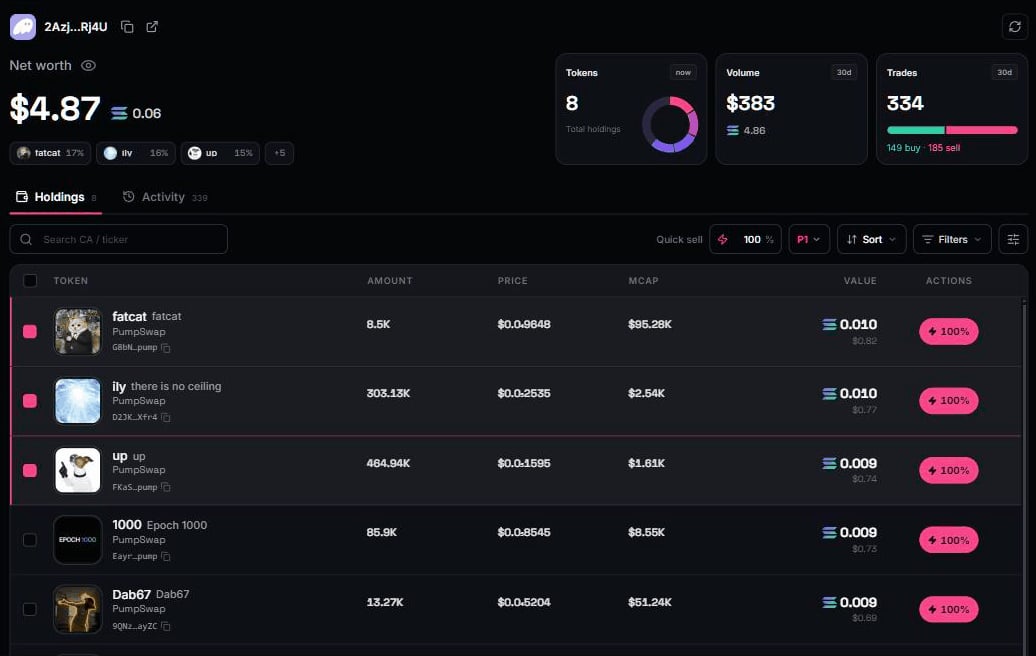
Where the numbers come from
Balances come from the chain. Prices come from the live pools the tokens actually trade in, not a delayed aggregator. A token whose pool is dead shows — rather than a made-up price.Display settings
Density, colour intensity, and visible columns are yours to set. One settings panel drives Holdings and Activity together, so the two tabs always read the same way.Wallet cleanup
The scan surfaces value other portfolios never show. Here is how to recover it.