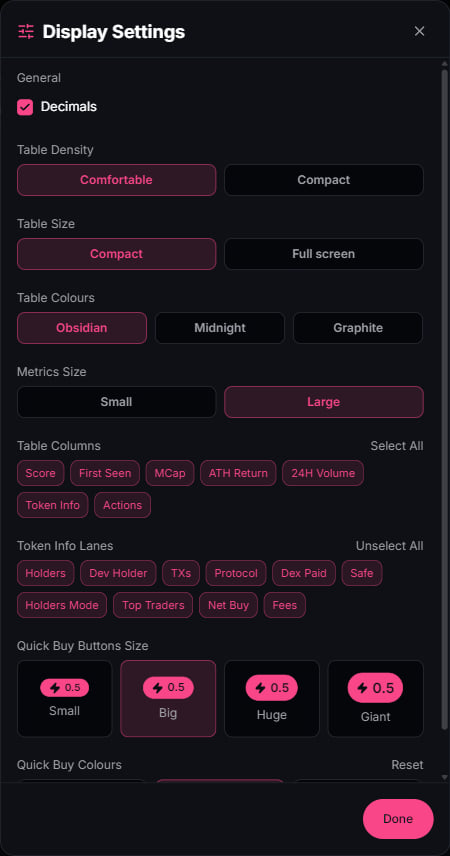
Every table surface carries a Display Settings panel behind the sliders icon in its toolbar. The settings persist per surface, so your Radar can run compact while Alpha stays comfortable.
Display Settings: density, table size, colours, metrics size, columns, token info lanes, quick-buy size and colours

What you control

GroupOptions
Table densityComfortable or compact rows
Table sizeContained width or full screen
Table coloursObsidian, Midnight, Graphite
Metrics sizeSmall or large numerals
Table columnsScore, First seen, MCap, ATH return, 24h volume, Token info, Actions
Token info lanesHolders, dev holder, TXs, protocol, Dex paid, Safe, top traders, net buy, fees
Quick buyButton size from small to giant, plus button colours
DecimalsFull precision or rounded values

Per-surface amounts

The quick-buy amount is set where you trade: each Radar lane, the Alpha page, and each dock panel remembers its own. Size Discovery punts small and Conviction entries big, and neither touches the other.

Presets

Execution settings live one level up in Presets: slippage, priority fees, tips, and Anti-MEV mode, selectable per surface right next to the buy controls.