> ## Documentation Index
> Fetch the complete documentation index at: https://docs.primal.trade/llms.txt
> Use this file to discover all available pages before exploring further.
# Calls
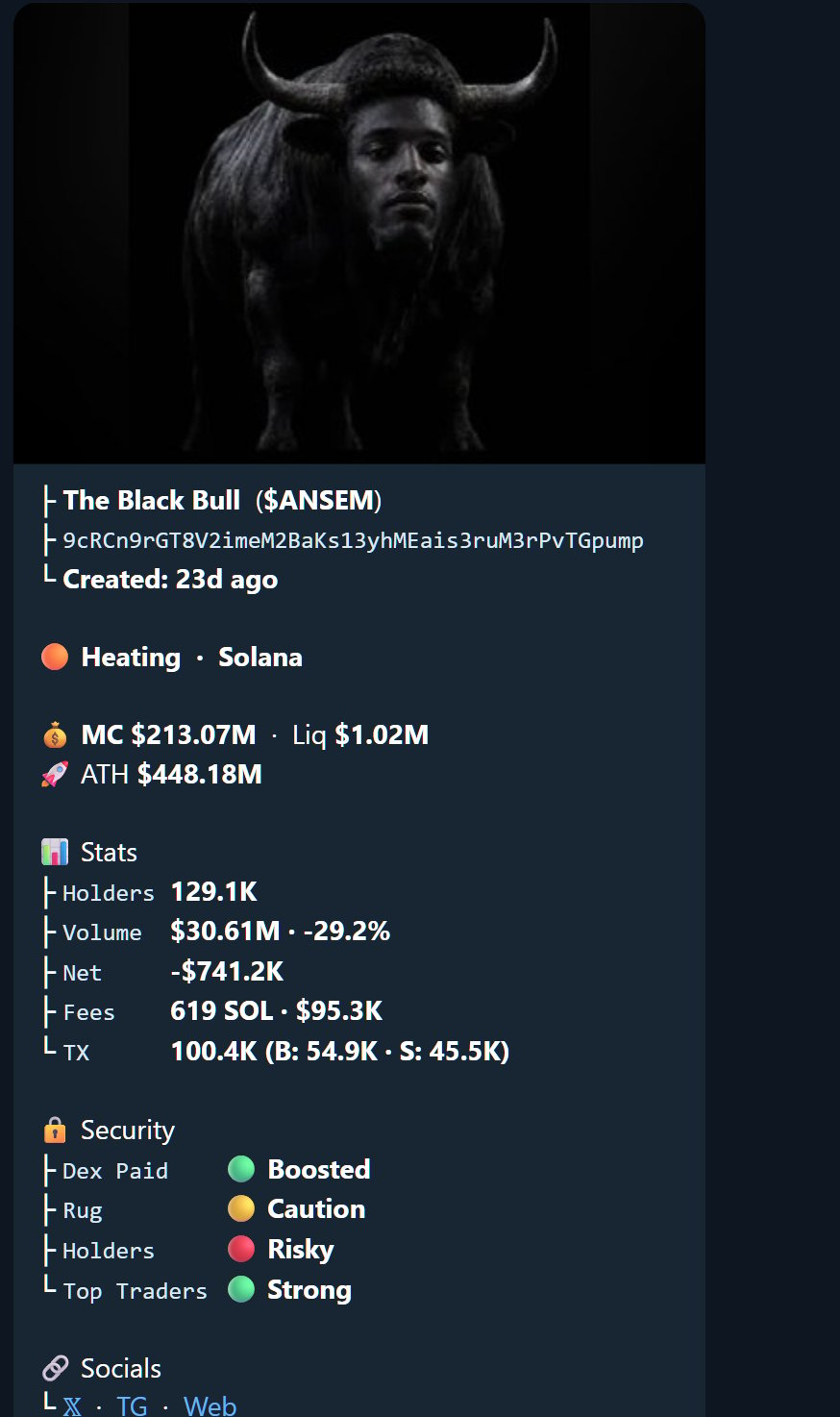
> What a bot call looks like: the token card, live market state, security verdicts, and the first-seen receipt.
Every call renders the same way: the token card, the lane, live market state, the stats block,
the security verdicts, and the receipt line showing when the call was first seen and at what
market cap.
 ## Calls carry receipts
Every call shows its entry market cap and time, and the leaderboard judges past calls by exactly
what subscribers saw. Same rule as the [terminal's record](/alpha/prime-trending): it never
repaints.
The 🔬 button, or paste any CA.
The 📈 button: mcap candles on demand.
## Calls carry receipts
Every call shows its entry market cap and time, and the leaderboard judges past calls by exactly
what subscribers saw. Same rule as the [terminal's record](/alpha/prime-trending): it never
repaints.
The 🔬 button, or paste any CA.
The 📈 button: mcap candles on demand.