> ## Documentation Index
> Fetch the complete documentation index at: https://docs.primal.trade/llms.txt
> Use this file to discover all available pages before exploring further.
# Filters
> Cut the frame down to exactly the trades you take.
The filter funnel is the same engine on Radar and Alpha: every lane and both Alpha tabs carry
the funnel button, and a value means the same thing everywhere.
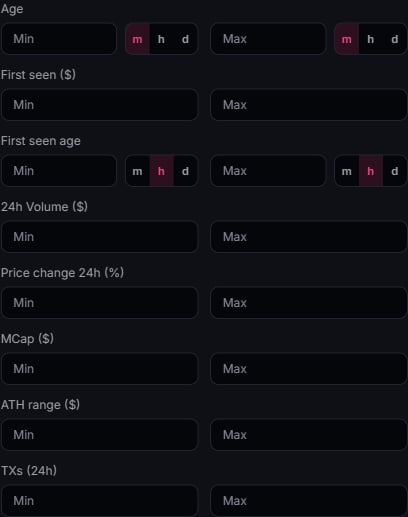 ## What you can filter
* **Market cap.** Min and max range.
* **Volume & transactions.** 24h floor.
* **Score.** PrimalScore band.
* **Cohorts.** Max top-10 concentration, snipers, insiders, bundlers, dev holding.
* **Security.** Dex-paid status, mint and freeze checks.
* **Age.** Token creation window.
* **Socials.** Require X, Telegram, or website presence.
## Search & following
* **Search** matches symbol, name, and address.
* **Following only** collapses the feed to your [watchlist](/portfolio/watchlist). The star on
any card or row adds a token.
## Empty feed?
If a filter combination empties the list, the page says so and offers a one-tap **Clear
filters**. It resets search, following, and every funnel setting at once.
## What you can filter
* **Market cap.** Min and max range.
* **Volume & transactions.** 24h floor.
* **Score.** PrimalScore band.
* **Cohorts.** Max top-10 concentration, snipers, insiders, bundlers, dev holding.
* **Security.** Dex-paid status, mint and freeze checks.
* **Age.** Token creation window.
* **Socials.** Require X, Telegram, or website presence.
## Search & following
* **Search** matches symbol, name, and address.
* **Following only** collapses the feed to your [watchlist](/portfolio/watchlist). The star on
any card or row adds a token.
## Empty feed?
If a filter combination empties the list, the page says so and offers a one-tap **Clear
filters**. It resets search, following, and every funnel setting at once.