> ## Documentation Index
> Fetch the complete documentation index at: https://docs.primal.trade/llms.txt
> Use this file to discover all available pages before exploring further.
# The workspace
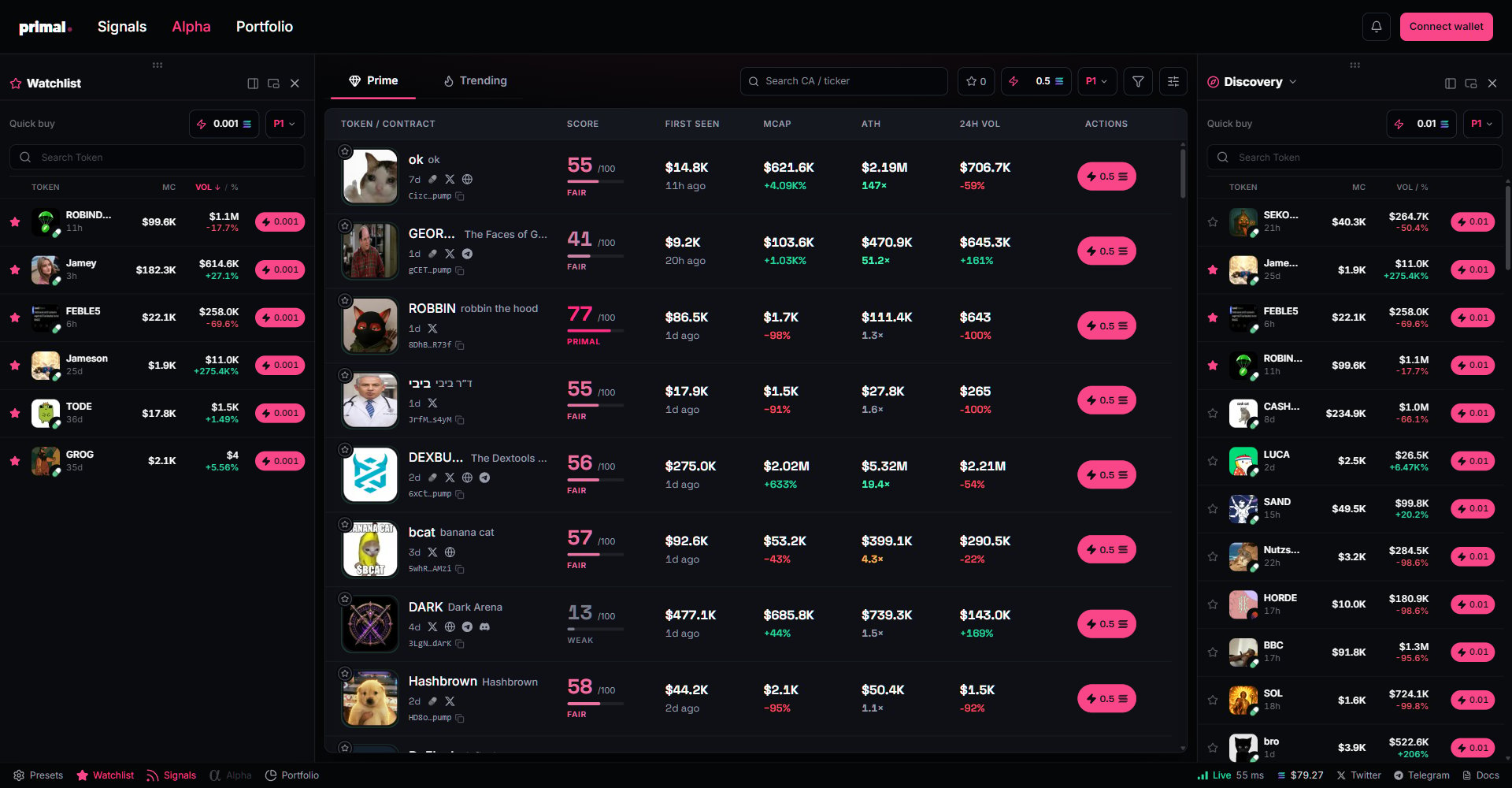
> Dock panels beside any page: watchlist, signals, and portfolio side by side, each with its own quick-buy amount.
The terminal is not one page at a time. The screen is the edge: a signal you see while
managing a position is worth more than one you find after. Docks keep the watchlist, the signal
lanes, Alpha, and your portfolio live beside whatever you are doing, and every one of them
trades at its own size.
 ## The docks
Four panels live in the footer: **Watchlist**, **Signals**, **Alpha**, and **Portfolio**. Tap one
to dock it beside the current page. Each dock carries its own controls:
| Control | What it does |
| ------------------ | ------------------------------------------------------- |
| Hook left or right | Move the panel to the other side of the screen |
| Detach | Float the panel as its own window, position it anywhere |
| Close | Put it back in the footer |
Wide screens hold two docks at once; narrower screens hold one, and the newest dock replaces the
oldest so the main view always keeps its room.
## Every surface trades at its own size
Look at the frame above: the Watchlist dock quick-buys at 0.001 SOL, the Alpha table at 0.5, the
Discovery dock at 0.01. Every surface remembers its own amount and preset, so a dock is not just
a monitor. It is a trading surface sized for its own risk.
Density, colours, and columns are per surface too.
## The docks
Four panels live in the footer: **Watchlist**, **Signals**, **Alpha**, and **Portfolio**. Tap one
to dock it beside the current page. Each dock carries its own controls:
| Control | What it does |
| ------------------ | ------------------------------------------------------- |
| Hook left or right | Move the panel to the other side of the screen |
| Detach | Float the panel as its own window, position it anywhere |
| Close | Put it back in the footer |
Wide screens hold two docks at once; narrower screens hold one, and the newest dock replaces the
oldest so the main view always keeps its room.
## Every surface trades at its own size
Look at the frame above: the Watchlist dock quick-buys at 0.001 SOL, the Alpha table at 0.5, the
Discovery dock at 0.01. Every surface remembers its own amount and preset, so a dock is not just
a monitor. It is a trading surface sized for its own risk.
Density, colours, and columns are per surface too.